12+ Excel Tips For Beginners That Save Hours Weekly
Skip the intro · jump to the list ↓
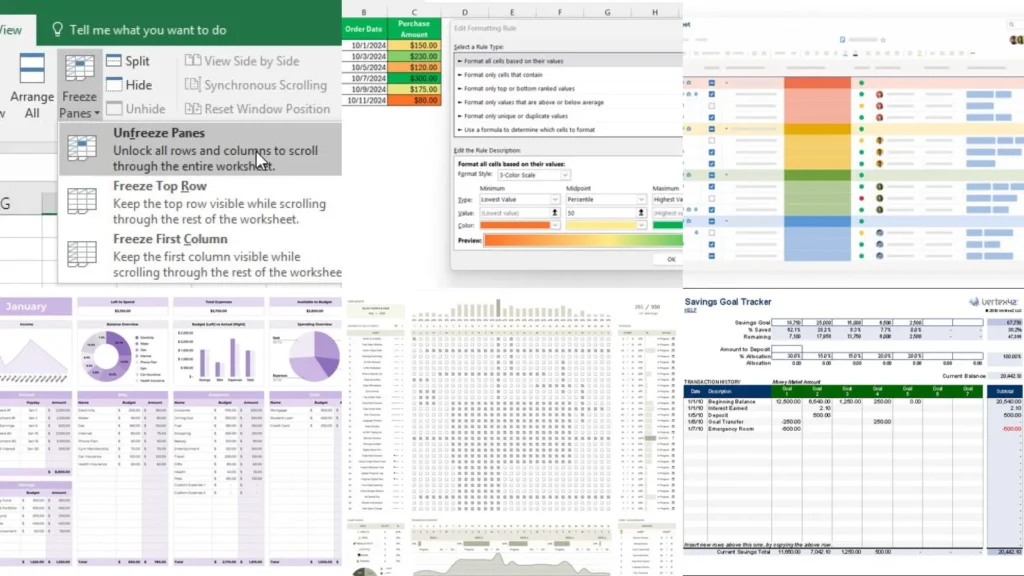
Here’s a tip nobody tells you on day one: you can freeze the top row of a spreadsheet so your headers never disappear. Not one, but the whole first row! Once you know that trick, Excel stops feeling like a maze.
This list is exactly that kind of thing, over and over. Small moves that make a spreadsheet feel less scary and way more useful.
I scrolled through way more pins and templates than I’d like to admit while putting this together. Some were so pretty but impossible to actually build. Some were basic but genuinely worked, so those are the ones that made the cut.
You’ll find layout ideas, color tricks and a couple of shortcuts that save real time. Nothing here needs a finance degree or fancy formulas.
Whether you want a cleaner budget, a better tracker or just a spreadsheet that doesn’t make your eyes glaze over, there’s something for you here. Ready to make Excel your friend instead of your enemy?
Grab a coffee and scroll through. Under each idea I’ve added the little details you actually want to know, plus a link if you want to see it built step by step.
EXCEL TIPS FOR BEGINNERS
Freeze Panes For Easy Scrolling
Freeze panes might be the single most underrated button in Excel. Lock the top row and your column headers stay put no matter how far down you scroll.
This is a lifesaver on long trackers with fifty or sixty rows. No more scrolling up just to remember what column F was for, lol!
- The scroll-and-guess fixer
- Works on any sheet length
- Found under the View tab
- Takes about ten seconds
Data Validation Dropdown Tutorial
Dropdown menus stop typos before they happen. Instead of typing a category by hand every time, you just pick one from a little list.
Set it up once under Data Validation and every cell in that column behaves.
It also keeps everyone using the same wording, which matters more than people think.
- No more typo chaos
- Set up once, works forever
- Great for shared sheets
- Lives under the Data tab
Color Coding Cells Tutorial
Color coding turns a wall of numbers into something your brain can actually scan. Green for done, yellow for pending, red for overdue. Simple as that.
Conditional formatting can even do this automatically once a value changes. That part still feels a little like magic to me, lol!
- The five-second scan trick
- Updates itself with conditional rules
- No coding required
- Works on any table
Color Coded Tab System
A color coded tab system is one of the easiest spreadsheet organization ideas out there and it takes minutes to set up. Right click any tab, pick a color and suddenly your whole workbook makes visual sense.
Blue tabs for finances, green for personal projects, orange for anything work related. It sounds small but it really does cut down on the clicking around.
Not that I’m territorial about my tab colors, but I definitely notice when someone else’s workbook is a mess of gray, haha!
- Color first, panic never
- Right click to recolor any tab
- Groups projects at a glance
- Zero formulas involved
Master Spreadsheet Dashboard Layout
A master dashboard tab pulls the highlights from every other sheet into one place. Think of it as the homepage of your workbook.
This is where totals, dates and quick summaries live so you never have to hunt through ten tabs for one number.
- One tab to rule them all
- Pulls totals from other sheets
- Great for weekly check-ins
- Keeps everything at a glance
Folder Naming Structure Guide
Folders matter just as much as the spreadsheets inside them. A messy desktop full of files named final, final two and actual final helps nobody.
Try a simple structure by year, then by category, then by project. It sounds boring, but future you will be so grateful, lol!
- The final-final-two fixer
- Sort by year, then category
- Cuts down on duplicate files
- Takes an afternoon, tops
Monthly Budget Grid Template
A monthly budget grid is one of the classic budget spreadsheet layout ideas and for good reason. Rows for categories, columns for each month, totals down the side.
It gives you a full year at a glance instead of flipping through twelve separate pages. Not gonna lie, seeing twelve months side by side is a little humbling, haha!
- Twelve months, one glance
- Rows for categories
- Columns for each month
- Totals built into the side
Color Block Budget Design
This color block budget design uses solid blocks of color instead of thin gridlines. It looks more like a magazine spread than a spreadsheet, which is honestly the goal.
Needs get one color, wants get another, savings gets its own bold block. It makes the whole budget easier to read in a glance.
Talk about a glow up for a spreadsheet that used to look like a tax form!
- Budgeting that looks like a mood board
- Bold blocks instead of thin lines
- Needs, wants and savings each get a color
- Reads well even zoomed out
Minimalist Budget Sheet Layout
Some people want zero visual noise in their budget and that’s exactly what this minimalist layout offers. No colors, no clutter, just clean lines and plenty of white space.
It works great if you find colorful spreadsheets distracting instead of helpful. There is no shame in that.
- Quiet on purpose
- Plenty of white space
- No color coding needed
- Reads fast and calm
Habit Tracker Grid Design
A habit tracker grid is one of the most satisfying tracker spreadsheet ideas to actually use. Days across the top, habits down the side. You fill in a box every time you follow through.
Watching that grid fill up is weirdly addictive.
- The satisfying checkbox grid
- Days across, habits down
- Fills in with one click
Fitness Progress Tracker Layout
This fitness progress layout tracks weight, reps or workouts week by week instead of just one number. It shows the slow climb that a single scale reading never tells you.
A little line chart at the bottom turns the numbers into an actual story.
- The slow climb, mapped out
- Tracks week over week
- Chart builds itself from the data
Savings Goal Tracker Template
Last but definitely not least, we have this savings goal tracker. Set a target, log what you add and watch a progress bar creep closer to the top. If you were hunting for excel shortcuts list, this one is a keeper!
It turns something abstract like saving for a trip into a very visible countdown. Same energy as watching a kettle boil, but somehow more motivating, haha!
- Watch the goal creep closer
- Progress bar fills automatically
- Great for trips or big purchases
- Takes minutes to set up